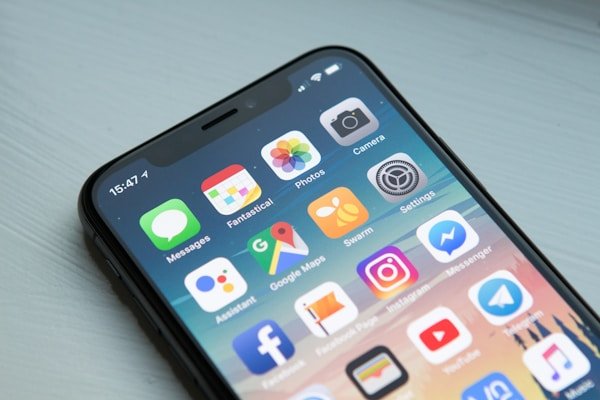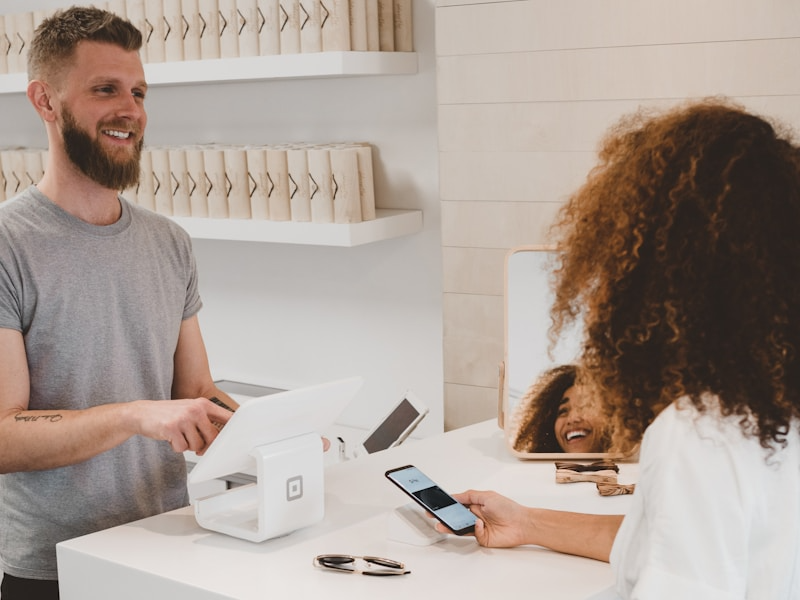

Push notifications delivered directly to mobile wallets have revolutionized how businesses communicate with customers, achieving open rates of up to 97% compared to just 20% for email. With WePass, you can harness this powerful channel to send timely, relevant updates that drive engagement, increase conversions, and build lasting customer relationships without requiring a dedicated mobile app.
This comprehensive guide walks you through everything you need to know about setting up and optimizing push notifications through WePass, from initial configuration to advanced targeting strategies that maximize customer response and minimize opt-outs. Whether you're promoting a flash sale, reminding customers about expiring offers, or sharing personalized updates, this guide will help you master mobile wallet notifications.
What You'll Learn
Discover how to configure push notifications, create compelling messages, segment audiences effectively, optimize send times, and measure performance to maximize customer engagement through mobile wallet notifications.
Why Mobile Wallet Push Notifications Are Game-Changing
Before diving into the technical setup, understanding why mobile wallet push notifications outperform traditional marketing channels is essential.
Superior Engagement Rates
Mobile wallet notifications appear on the lock screen and notification center, ensuring immediate visibility without requiring app downloads or email checks. They achieve 5-10x higher open rates than email marketing, with most users checking notifications within 90 seconds of receipt. This instant visibility translates directly into higher engagement and conversion rates.
No App Required
Unlike traditional push notifications that require a dedicated app, wallet notifications work through Apple Wallet and Google Wallet that are pre-installed on billions of devices. This eliminates the biggest barrier to mobile engagement—convincing customers to download your app. When customers add your pass, they automatically opt-in to receive notifications.
Contextual and Cost-Effective
Trigger notifications based on location, time, balance changes, or customer behavior to deliver perfectly timed messages. Reach customers directly without paying for SMS fees or email delivery services, with unlimited notifications on most WePass plans. The combination of perfect timing and zero marginal cost makes wallet notifications incredibly powerful.
Step 1: Configuring Your WePass Notification Settings
Setting up your notification infrastructure in WePass takes just a few minutes. Log into your WePass account and navigate to the Notifications section from the main dashboard.
Enable Notification Features
Ensure push notifications are enabled for your pass templates. Navigate to Pass Settings and toggle "Enable Push Notifications" for each pass type you want to send notifications from. You can configure different notification settings for loyalty cards, membership passes, event tickets, and gift cards. Set default preferences including sender name, notification tone preferences, and quiet hours that apply across all notifications unless specifically overridden.
Step 2: Creating Your First Push Notification
Click "Create New Notification" and select whether you want to send an immediate broadcast, schedule for later, or set up an automated trigger. For your first notification, we recommend starting with a scheduled broadcast to a small test segment.
Craft Compelling Messages
Write clear, compelling messages that fit within platform character limits. Apple Wallet supports up to 200 characters, while Google Wallet allows slightly longer messages. Include a strong opening that grabs attention, clear value proposition or benefit, specific call-to-action, time-sensitivity if applicable, and your brand name for recognition.
Example: "Flash Sale: 40% off all items! Today only. Show your loyalty card at checkout. - BoutiqueName"
Select Your Audience
Choose who receives your notification. WePass allows you to target all pass holders, specific segments based on demographics or behavior, individual customers, or test groups for A/B testing. For your first campaign, consider sending to a small test segment to gather feedback before launching to your entire audience.
Step 3: Setting Up Automated Notification Triggers
Automated triggers are the most powerful feature of WePass notifications, allowing you to send perfectly timed messages without manual intervention.
Balance-Based Triggers
Automatically notify customers when their gift card or loyalty card balance changes, reaches a certain threshold, or is about to expire. Set up rules like "Notify when balance falls below $10" or "Send reminder when 100 points earned."
Location-Based Triggers
Set up geofences around your store locations to trigger notifications when customers are nearby. A well-timed "Stop in for 20% off today!" message can significantly increase foot traffic. Configure radius, timing, and frequency caps to avoid over-notifying.
Behavior-Based Triggers
Send notifications based on customer actions or inactions. Trigger messages when customers make purchases, redeem rewards, abandon transactions, or haven't visited in a specified time period. These highly targeted notifications achieve the highest conversion rates because they respond directly to customer behavior.
Pro Tip: Start with Test Campaigns
Always send test notifications to yourself and team members before launching to your entire audience. Verify messaging, timing, and functionality across both iOS and Android devices to ensure a perfect customer experience.
Step 4: Crafting High-Converting Notification Messages
The difference between notifications that drive action and those that get ignored often comes down to messaging. Follow these proven copywriting strategies.
Use Urgency and Scarcity
Create time pressure with phrases like "Ends tonight," "Only 3 hours left," "Last chance," or "Limited availability." Notifications with urgency elements see 30-50% higher click-through rates than generic messages.
Personalize When Possible
Use customer names, reference past purchases, or acknowledge loyalty tier status. WePass supports dynamic personalization fields that automatically insert customer-specific information into each notification, increasing relevance and response rates.
Lead With Value
Start with the benefit or offer, not your brand name. Compare "Save 50% on your next visit!" versus "Thank you for being a valued customer..." The first approach gets attention immediately by leading with clear value.
Step 5: Optimizing Send Times for Maximum Engagement
When you send notifications matters as much as what you send. Best times vary by industry: restaurants see success at 10-11 AM for lunch planning and 3-5 PM for dinner planning. Retail performs well at 8-9 AM during morning routines and 7-9 PM for evening browsing. Entertainment works best at 6-8 PM on weekdays and 10 AM-2 PM on weekends.
Enable WePass's AI-powered send time optimization which analyzes individual customer engagement patterns and automatically delivers notifications when each customer is most likely to respond. This feature can improve open rates by 20-40%.
Step 6: Monitoring Performance and Analytics
WePass provides comprehensive analytics to help you understand notification performance and customer engagement. Track delivery rate, open rate, click-through rate, conversion rate, revenue per notification, and opt-out rate. Good mobile wallet notification performance typically includes delivery rates above 95%, open rates of 60-80%, click-through rates of 15-30%, and opt-out rates below 2%.
Common Mistakes to Avoid
- Over-Notifying: Sending too many notifications is the fastest way to lose customers. Quality always beats quantity. Focus on meaningful, valuable messages rather than constant communication.
- Generic Messaging: Treating all customers the same ignores the power of segmentation. Personalized, targeted messages consistently outperform generic broadcasts by 3-5x.
- Ignoring Timing: Sending notifications at convenient times for your business rather than customers results in poor engagement and annoyed recipients who delete passes.
- Weak Calls-to-Action: Vague or missing CTAs leave customers uncertain about next steps. Always include clear, specific instructions for how to benefit from your message.
Conclusion: Master Mobile Wallet Notifications
Push notifications through mobile wallets represent one of the most powerful customer engagement tools available to modern businesses. With WePass, you can implement sophisticated notification strategies without requiring technical expertise or expensive development resources.
Start with the foundational steps outlined in this guide: configure your account, create compelling messages, target the right audiences, and monitor performance. As you gain experience, advance to sophisticated automation, predictive targeting, and integrated campaigns that maximize customer lifetime value.
Ready to harness the power of push notifications? Log in to your WePass Dashboard and start sending your first notification today. Your customers are waiting to hear from you.